

Winspire88
Guidelines relating to Forget Password

Forget Password? Here’s How to Recover Your Winspire88 Account

Huwag kang mag-alala — normal lang ‘yan! Sa Winspire88, ginawa naming madali, mabilis, at secure ang Forget Password process para makabalik ka agad sa paglalaro ng iyong paboritong casino games.

Kahit anong device pa ang gamit mo — mobile man o desktop — may naka-ready kaming step-by-step guide para tulungan kang i-reset ang iyong password nang hassle-free.

Narito ang kailangan mong gawin para sa account recovery:

Pumunta sa Login Page at i-click ang “Forget Password” link.

Ilagay ang registered email o mobile number na naka-link sa iyong Winspire88 account.

Sundin ang instructions na ipapadala sa iyo via email o SMS para ma-verify ang iyong identity.

Gumawa ng panibagong secure password at i-confirm ito.

Login ulit sa Winspire88 gamit ang bagong password at enjoy playing your favorite games!

Kung nalilito ka o hindi mo alam kung saan magsisimula, nandito sa page na ito ang lahat ng kailangan mong malaman para ma-recover ang iyong Winspire88 account nang ligtas, secure, at walang abala.
Winspire88 Official Give away

Why Password Recovery Matters

Mawalan ng access sa account mo can be super frustrating. Pwede nitong pigilan ka sa:
  • I-claim ang pinakabagong casino bonuses para hindi ka mahuli sa exclusive offers.
  • I-access ang iyong wallet at game progress kahit saan at kahit kailan.
  • Sumali sa live casino events at tournaments para maranasan ang real-time na excitement.
  • I-withdraw agad ang iyong winnings nang madali at ligtas.
  • Nakalimutan ang password? Madaling i-reset ito para tuloy-tuloy ang iyong paglalaro.
  •  
Kaya ginawa naming simple ang recovery process. Ang pag-reset ng password sa winspire88 ay safe, mabilis, at fully supported.

Step-by-Step Guidelines Relating to Forget Password

01

Go to the Winspire888 Login Page

Step 1: Go to Winspire88
Open your browser and head over to winspire88.net

Step 2: Click on Login
At the top-right corner of the homepage, you’ll see the “Login” button. Click it to open the login page.

Step 3: Enter Your Details
Type in your registered username or email address and your password in the required fields.

Step 4: Forget Password?
If you can’t remember your password, click on the “Forget Password” link just below the login form. You’ll be asked to enter your registered email, and a reset link will be sent to help you create a new password.

Step 5: Access Your Account
Once your details are entered correctly (or your password reset is completed), hit the “Login” button again to access your Winspire88 account.
02

Click "Forget Password"

Sa ilalim ng login form, makikita mo ang link na nagsasabing ‘Nakalimutan ang iyong password?’. Kapag na-click mo ito, magsisimula ang proseso ng pag-reset ng iyong password. Sundin lamang ang mga ibibigay na hakbang, gaya ng paglalagay ng iyong email o username, at makakatanggap ka ng mga tagubilin kung paano mo maibabalik o mababago ang iyong access.
03

Enter Your Registered Email or Phone

Hihingin sa’yo yung email address o mobile number na naka-link sa Winspire88 account mo. Kailangan ito para ma-send sa’yo yung instructions kung paano i-reset ang password mo.
Tip: Siguraduhin na tama yung email o number na ginamit mo nung nag-register ka.
04

Receive the Reset Link or Code

Depende sa pipiliin mo, makakatanggap ka ng alinman sa:
Isang reset link sa email inbox mo
O isang OTP code via SMS sa registered number mo.

Buksan ang email o message at sundin ang instructions. Tandaan, time-sensitive ang links at codes na ito para sa security mo.
05

Create a New Password

Click mo lang yung link or i-enter yung code, tapos dadalhin ka sa page kung saan pwede ka gumawa ng bagong password.
Dito, maglagay ka ng password na ikaw ang pipili.

Tips para sa strong password:

At least 8 characters

Halo ng letters, numbers, at symbols

Huwag gumamit ng personal info gaya ng name o birthday mo
06

Log Back Into Your Account

Pagkatapos mong ma-set ang bagong password, bumalik ka sa login page at mag-sign in. Ready ka na ulit maglaro!

Forget password to the Email or Number on Your Account?

Kung nakalimutan mo ang iyong email, phone number, o password, huwag mag-alala.
Madali itong maayos sa tulong ng aming customer support team. Maaari ka naming gabayan para i-recover ang iyong account at i-reset ang password mo.

Just reach out with:
  • Full name mo
  • Username (kung naaalala)
  • Kahit anong deposit reference o transaction details
  • Government-issued ID (kung hihingin para sa verification)
Your account security is our top priority. Before granting access, we carefully verify all login details to ensure your protection. If you’ve forgotten your password, simply use the ‘Forget Password’ option to securely reset it and regain access to your account.
Winspire88 Official #1 PH Casino Where Real Load Now

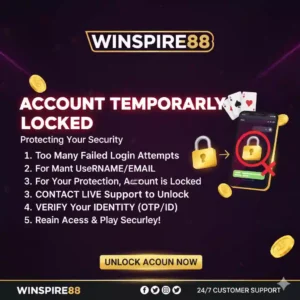
Account Temporarily Locked? Here's What to Do

Kung mali ang password na mai-input mo nang paulit-ulit, puwedeng pansamantalang ma-lock ang account mo. Normal lang ito bilang security measure para maprotektahan ang iyong impormasyon.

Para ma-unlock ang account mo:

  1. Maghintay muna ng ilang minuto at subukan ulit mag-login.

  2. Gamitin ang “Forget Password” option

    • I-click ang “Forget Password” sa login page.

    • Pumili kung gusto mong makatanggap ng reset link o verification code sa iyong email o mobile number na naka-link sa account.

    • I-check agad ang iyong inbox o SMS at sundin ang ibinigay na instructions.

    • Gumawa ng bagong password na malakas at unique. Mainam na gumamit ng kombinasyon ng uppercase at lowercase letters, numbers, at symbols para mas secure.

    • Iwasan ang madaling hulaan na password tulad ng birthday, pangalan, o paulit-ulit na characters.

    • Kapag matagumpay nang na-reset, maaari ka nang mag-login muli gamit ang bago mong password.

  3. Kung patuloy pa rin ang problema, huwag mag-alala—kontakin ang support team namin. Available kami 24/7 para tumulong sa anumang login issue o concern.

Tips to Keep Your Account Safe

Your password is your first line of defense. Sundin ang mga tips na ito para manatiling secure ang iyong account:

  • Palitan ang password tuwing 3 hanggang 6 na buwan para maiwasan ang unauthorized access.

  • Huwag i-share ang iyong login details kahit kanino, kahit sa kaibigan o kapamilya.

  • Iwasan ang paggamit ng public o unsecured Wi-Fi kapag naglo-login upang hindi manakaw ang data mo.

  • Huwag gumamit ng parehong password sa iba’t ibang websites o apps.

  • Gumamit ng password manager para ligtas na naka-store ang iyong mga login details.

  • Kung may hinala kang may ibang naka-access sa account mo, agad na palitan ang password at i-notify ang support team namin para sa tulong.

Forget Password?
Kung nakalimutan mo ang iyong password, gamitin ang “Forget Password” option sa login page. Sundin ang mga steps para mag-reset gamit ang iyong registered email o mobile number. Siguraduhin na mayroon kang updated contact details para mabilis at ligtas ang recovery ng account mo.

Can’t Access Email or SMS? Here’s the Solution

Forgot Password? Here’s How to Recover Your Account

If you forget password, don’t worry! You can reset it easily by following the instructions on our site. Normally, you’ll receive a password reset message via email or SMS.

Important: In rare cases, you might not receive the reset message due to:

  • Inactive or invalid email account – make sure your registered email is active.

  • SMS settings blocked – check if your phone or carrier is blocking messages from unknown senders.

  • Server delays – sometimes it may take a few minutes for the system to send the message.

What to do if you still can’t reset your password:

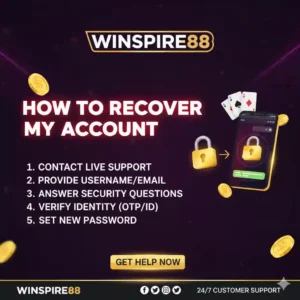
  1. Use the Live Chat option on our website – our support team is ready to assist you in real time.

  2. Or email us directly at support@winspire888.com – we’ll help you recover access manually.

For your security, please never share your password with anyone. Once recovered, make sure to update your password to something strong and unique.
Forget Password Winspire
Winspire Forget Password
winspire forget password account

FAQs: Forget Password Reset Support

How long does it take to reset my password?
How long does it usually take to reset my password if I forget it?
When I request a password reset, will the reset link be sent to my email instantly, or is there a waiting period while the system processes the request? I’d like to understand whether the reset is typically immediate or if I should expect a short delay before receiving the link.
What if I don’t get the reset email or SMS?
If you don’t see the email in your inbox, please check your spam or junk folder as it may have been filtered there. If the message still hasn’t arrived within 10 minutes, feel free to reach out to our support team and we’ll be happy to assist you.
Will I lose my progress or money?
Resetting your password is a simple security step and will not impact your wallet balance, game history, or overall account progress. All your funds, achievements, and saved data remain completely safe and accessible once you log back in with your new password.
Can I reset my password from the mobile app?
Yes, the same login process works across all devices, whether you’re using a phone, tablet, or computer. If you ever forget your password, simply click on the 'Forget Password' option on the login page and follow the steps to reset it easily.
Is it safe to reset my password?
Yes, all communications are fully encrypted to ensure your privacy. Your personal data stays protected at every step of the process. If you ever forget your password, you can easily reset it through our secure recovery option to regain access to your account safely.

24/7 Support for Your Peace of Mind

Sa Winspire88, naiintindihan namin na puwedeng mangyari ang issues anumang oras — tulad ng nakalimutang password o problema sa pag-login. Kaya naman handa ang aming support team para tulungan ka:

Live Chat Support – Makipag-usap agad sa aming agents para sa real-time na assistance.
Email Support (support@winspire888.com) – I-send ang detalye ng iyong concern at tutulungan ka naming maibalik ang access mo.
Social Support via Facebook at Telegram – Kumonekta sa amin kahit saan, anumang oras.

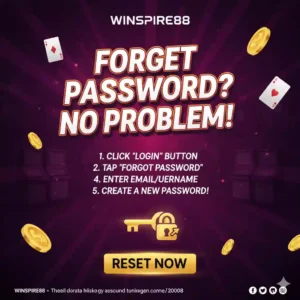
Kung nakalimutan mo ang iyong password, madali lang ang proseso:

  1. Pumunta sa Login Page at i-click ang “Forget Password.”

  2. I-enter ang iyong registered email o username.

  3. Sundin ang instructions na ipapadala sa iyo para i-reset ang password at makabalik sa iyong account.

Kahit nasaan ka man o anong oras pa ‘yan, nandito kami para siguraduhin na mabilis mong maibabalik ang access sa iyong Winspire88 account.

We’ve Got Your Back

Nakalimutan mo ba ang password mo?
No worries! With our madaling password reset process, strong account security, at 24/7 customer support, makakabalik ka agad sa paglalaro ng iyong favorite games sa Winspire88 in just minutes.

Paano i-reset ang password mo:

  1. Click “Forget Password” sa login page.

  2. Enter your registered email or username para ma-verify ang account mo.

  3. Check your email – makakatanggap ka ng reset link o verification code.

  4. Follow the instructions at gumawa ng bagong strong password.

  5. Login ulit gamit ang bagong password at mag-enjoy sa laro!

Kung sakaling hindi mo pa rin ma-access ang account mo o nahihirapan ka sa proseso, huwag mag-alala—nandito kami para tumulong.

Need Help Now?

We’re here para siguraduhin na ang gaming experience mo ay safe, fun, at stress-free—every step of the way.


Winspire88
Winspire88, powered by TMExtreme Management, invites you into a world of nonstop entertainment. Whether you're drawn to the timeless charm of classic casino games or the excitement of the latest innovations, Winspire88 offers a diverse collection designed for every kind of player. From first-timers to seasoned pros, there’s something here for everyone—crafted to thrill, engage, and keep you coming back for more.
Winspire88 Official #1 PH Game Provider